
Features / Back Office
Your field’s business. Clearly in view.
A consultant-facing back office for orders, relationships and team progress. Built for the browser. Ready for the way your field works.
Desktop clarity. Mobile-first access.
01 / Orders & customer context
The whole order. Not a trail of tabs.
Browse the order list, open the details and understand the customer behind the transaction—all within the consultant’s back office.
List → Details → Customer context
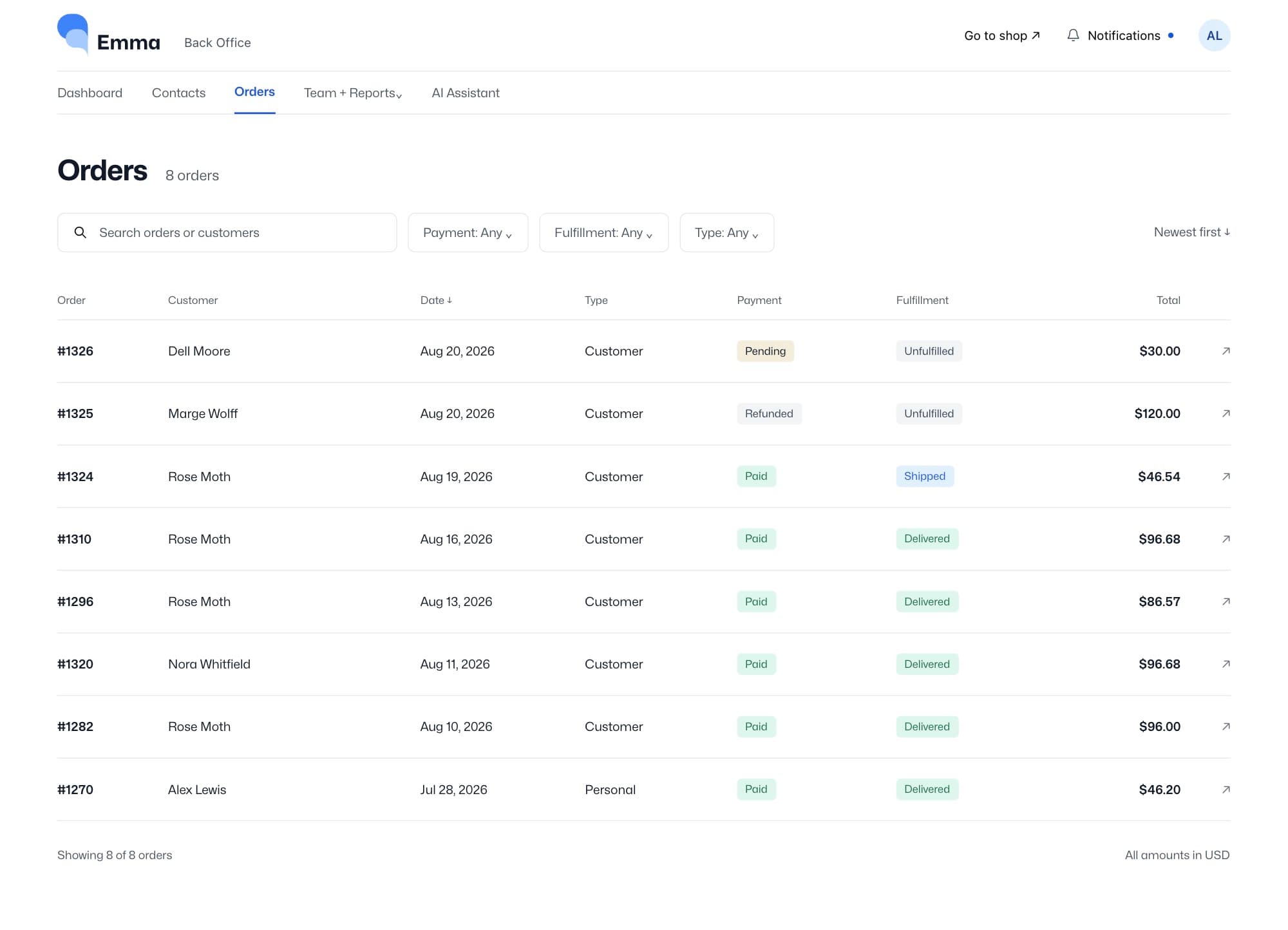
- Search and filter the list
- Review items and order status
- Keep the relationship in view
02 / Team & progress
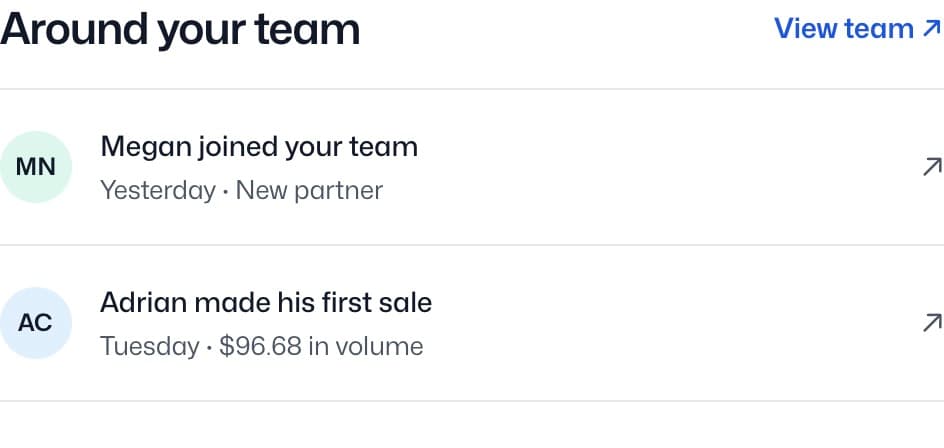
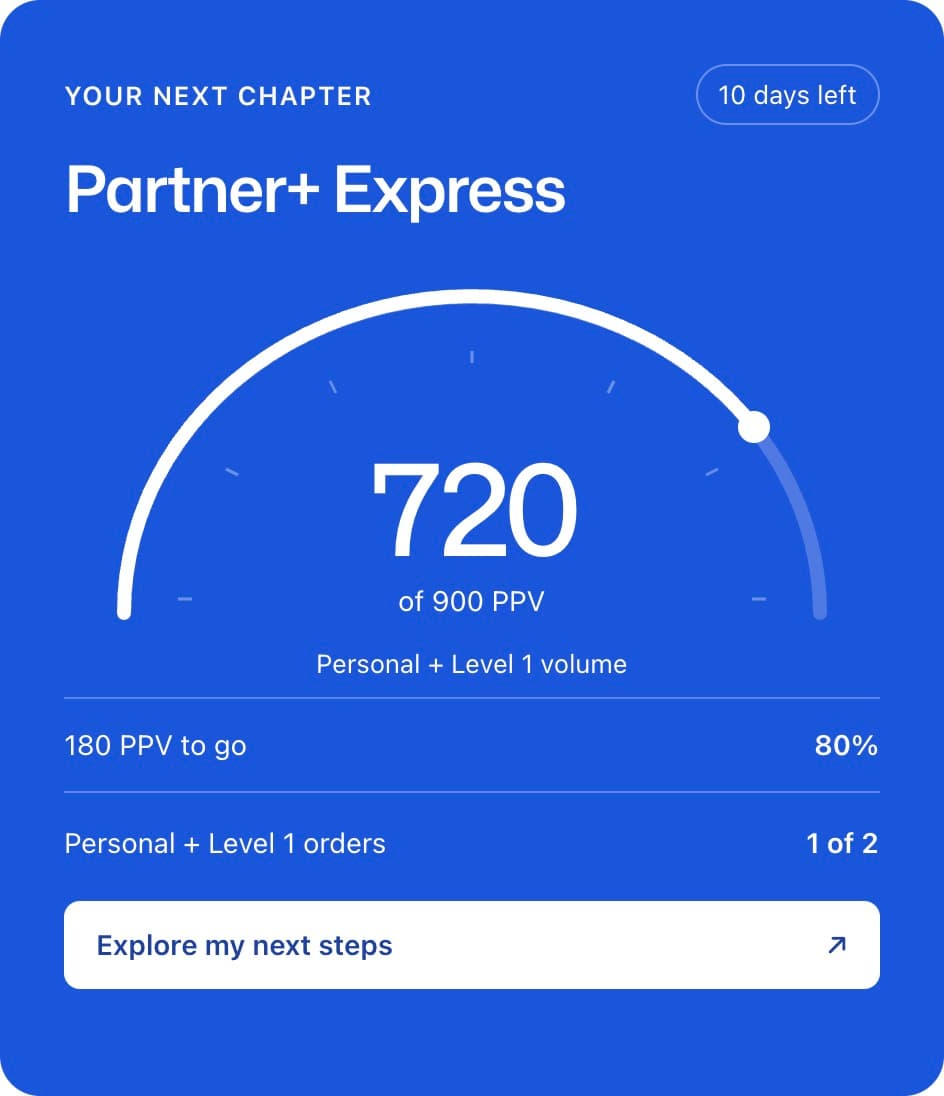
See the people. Follow the progress.
Give consultants a clearer view of their team and the activity behind the numbers. Move from a broad view to the people who need attention.
- ✓ Team relationships and activity
- ✓ Reports and progress trackers
- ✓ Useful context for the next check-in
03 / Ask Emma
A question is a good place to start.
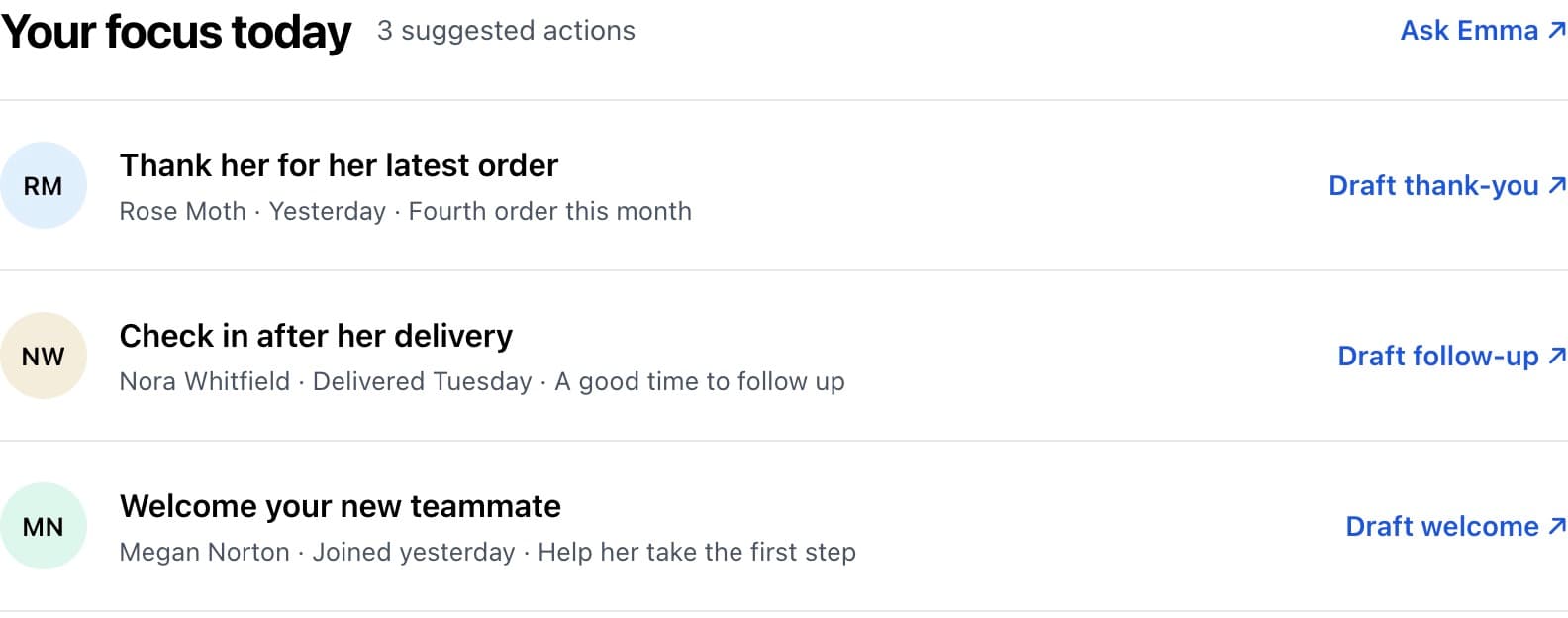
Find a contact, check an order or get help drafting a follow-up. Emma brings AI assistance into the same place consultants manage their business.
Connected context. Human judgment.
Your company. A connected field experience.
Start with the experience your consultants need. Scope the connections and rollout with your team.
01 / Make it yours
Your brand. Your field.
Align the portal, content and consultant experience with your company.
02 / Connect the context
Bring the right data.
Discuss your commerce setup, customer relationships and order flows. Shopify is a first-class connection; other systems are scoped together.
03 / Choose the start
Web first. App optional.
Begin in the browser, add the native app, or plan both. A phased rollout keeps the first step focused.
A closer look
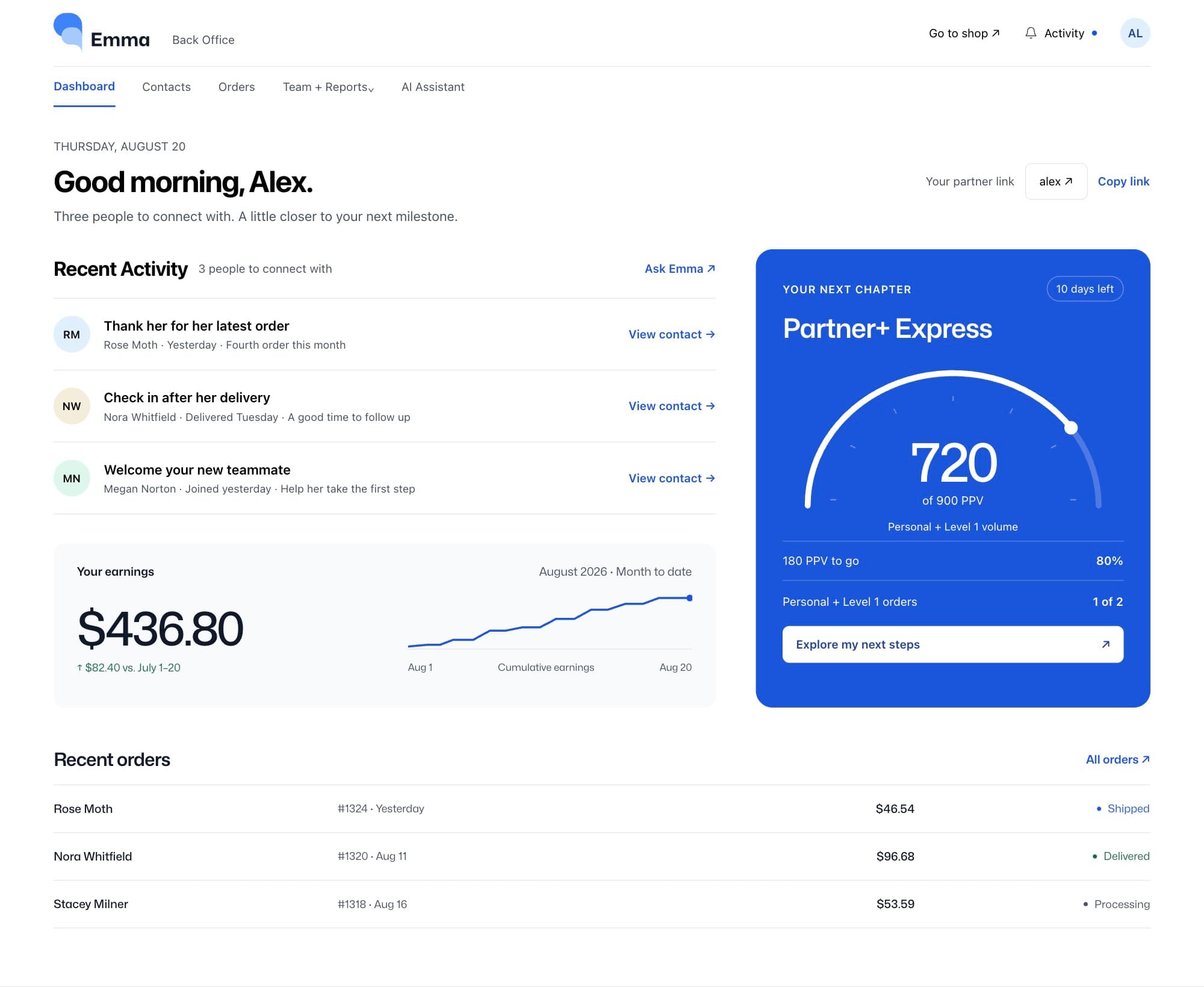
From the big picture to the next action.
- 01Open the daily dashboard
- 02Find an order and its customer
- 03Review team progress
- 04Ask Emma for help
Screens shown with demo data.
A clearer starting point.
A few useful answers
- Who uses the Web Back Office?
- Consultants and partners use it to work with their relationships, orders and team. It is separate from the company’s administrative console.
- Do consultants need to install anything?
- No native app is required for the back office—it runs in the browser. Emma’s native Mobile App is a separate experience you can include in your rollout.
- How does it connect to our company?
- We start with your commerce, customer and order flows. Shopify is a first-class integration; other connections, branding and rollout requirements are scoped with your team.
Give your field a clearer place to work.
Walk through the consultant experience and discuss how Emma could fit your company.